
Product evaluation
Start the demo with the work your office needs to improve
A product demonstration can be more than a tour of screens. Begin with the information that gets lost, the difficult handover, or the repeated work involved in collecting client documents.
The form below sends a demo request. It does not book a calendar slot automatically; your needs and the next meeting step are arranged by email. A demo note is optional.
A suggested evaluation agenda
Describe the office and the task
Share your team size, branch structure and the general types of applications you manage. You do not need to send real client names, passports or sensitive files.
Follow an application and its documents
Review a sample application's owner, stage, expected document and revision decision. Discuss who should be able to access each piece of information.
Check the next task and the client experience
Review how the team tracks the next action and what the client sees in the portal. Distinguish messaging, file uploads and payment-information screens by their actual scope.
Clarify the plan and the next step
Compare user, application and storage needs with current plans. Agree who will check which workflow in the trial, without treating a custom requirement as an existing feature.
Brief notes to prepare for the discussion
One or two operational questions in the optional note are enough. For example: “We lose context when handing an application to another adviser after a document revision.” This explains the process without sharing a real client's file.
- Approximate active-user and branch counts
- A brief description of the workflow to evaluate
- The general scale of your applications and document volume
- A concrete check that would make the trial useful
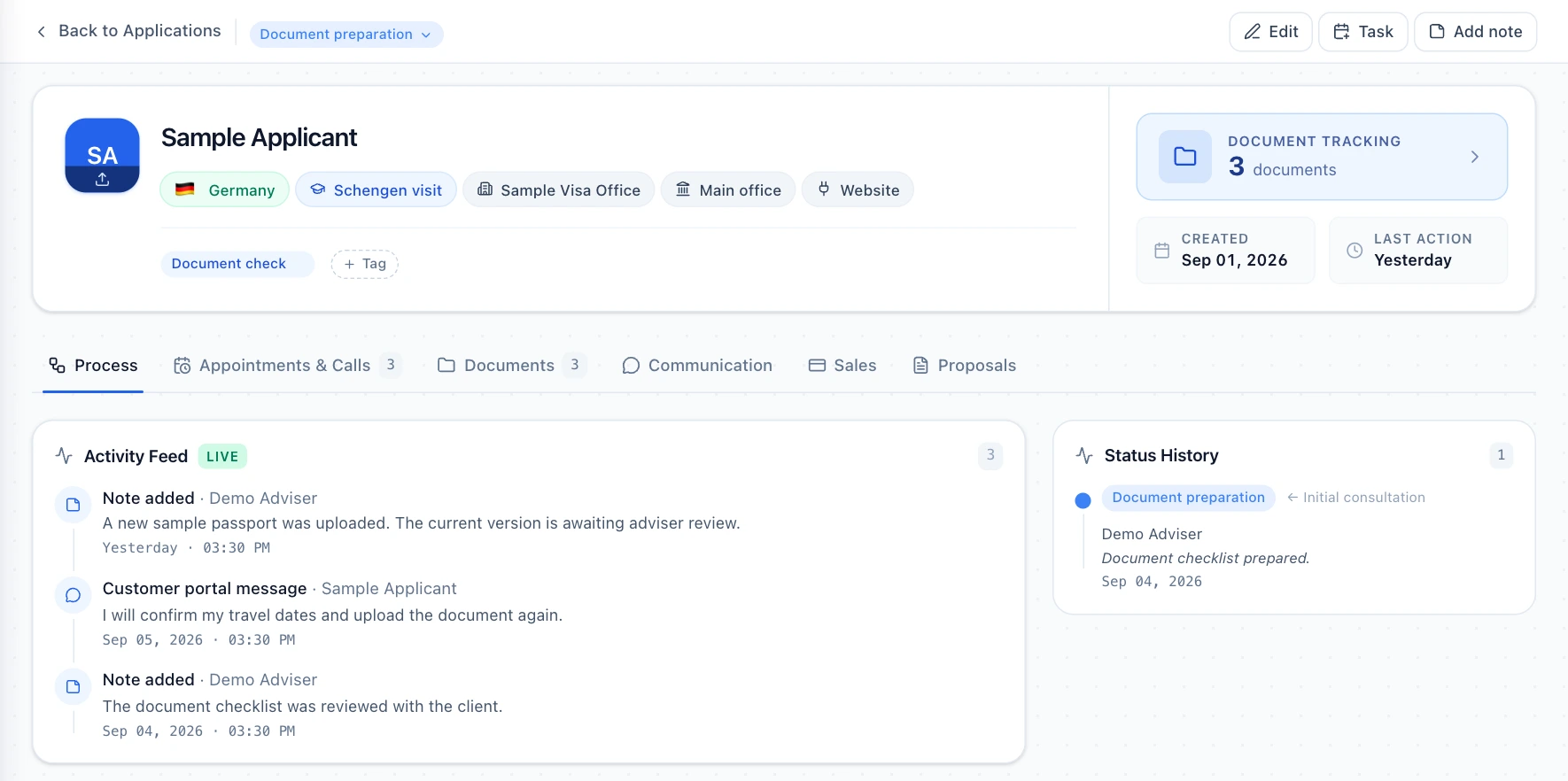
1. See where the application stands
Review the current stage, recent activity and status history of an example application together. Consider what an adviser taking over the file needs to know before getting started.
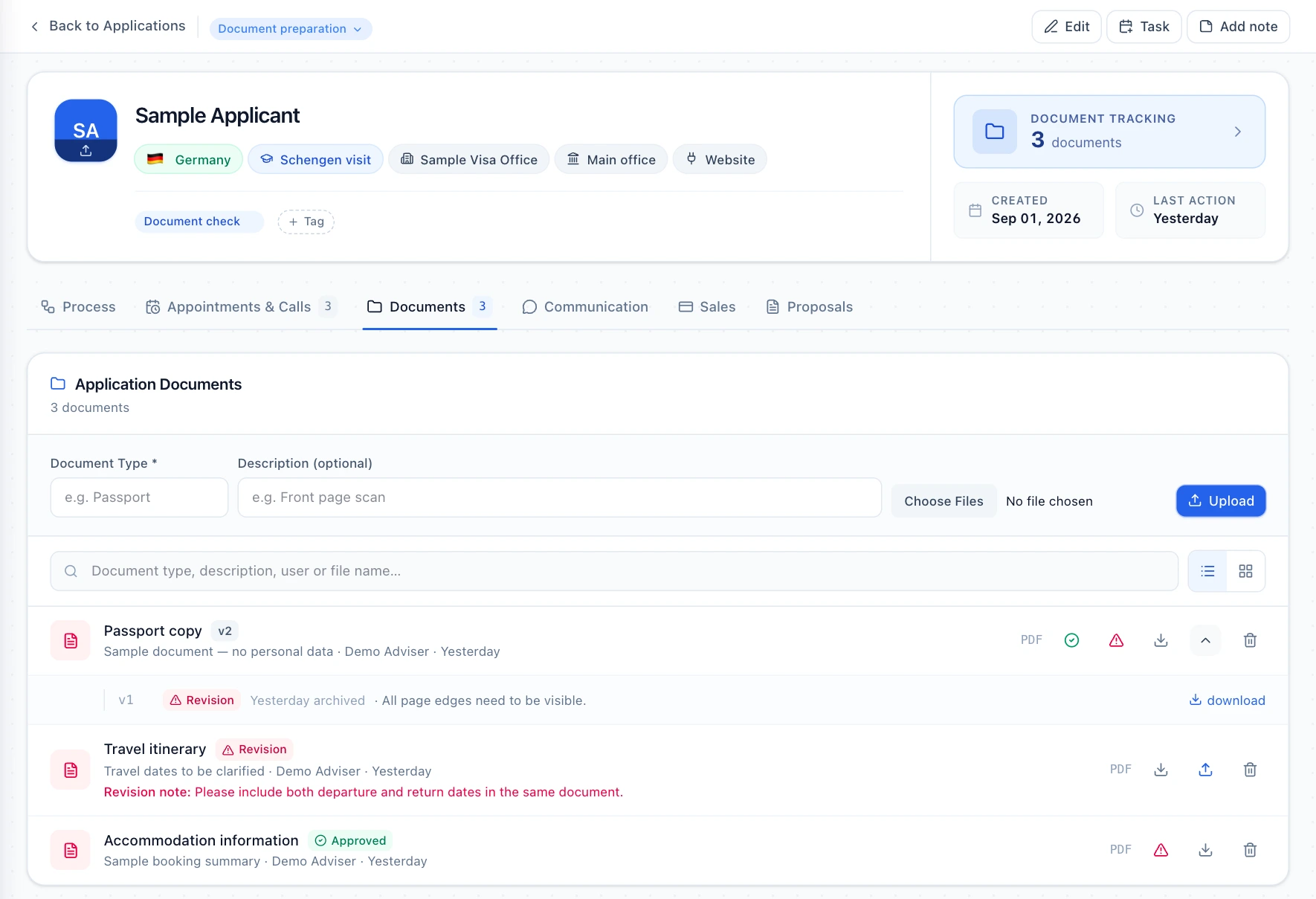
2. Distinguish the current document from earlier versions
Compare the current version, an earlier upload and a revision note in the document list. Follow which document needs to be prepared again within the same application.
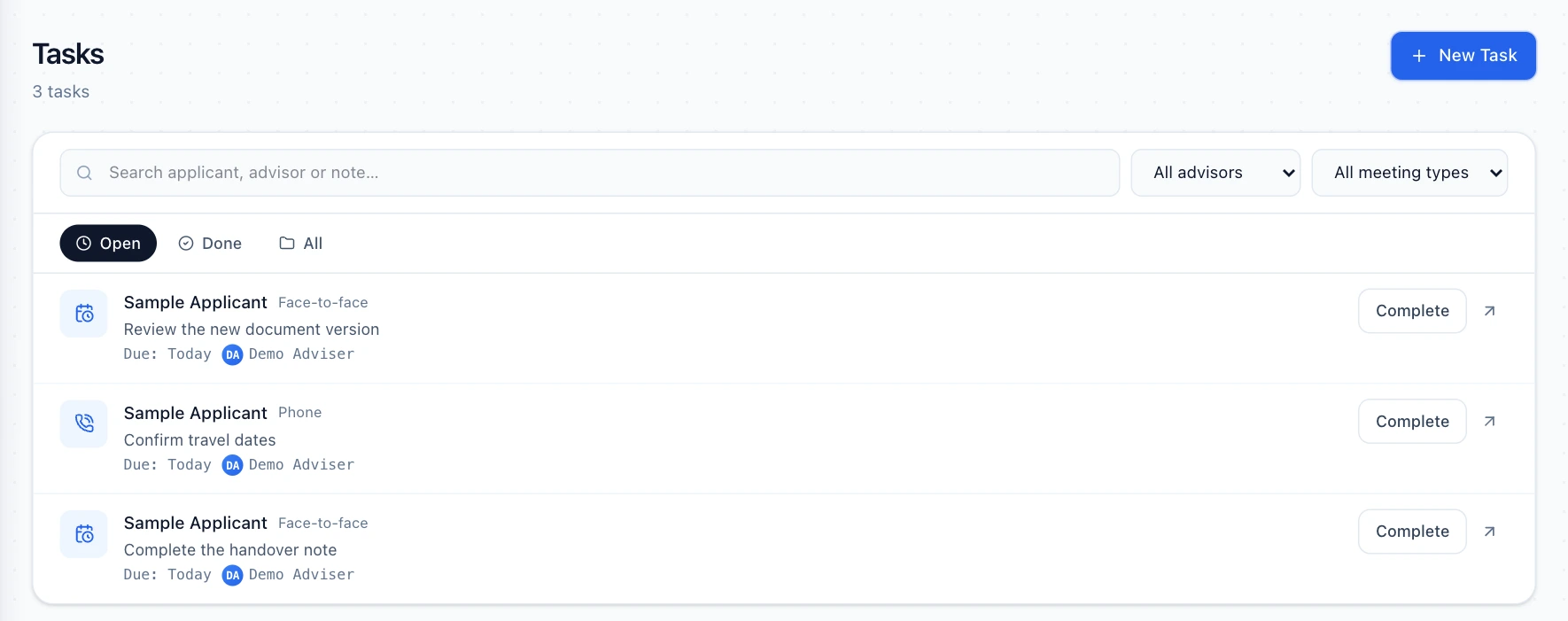
3. See the next task and its owner
Review open tasks linked to the application and the assigned adviser. Use the example to discuss how your team would follow everyday work such as checking missing documents.
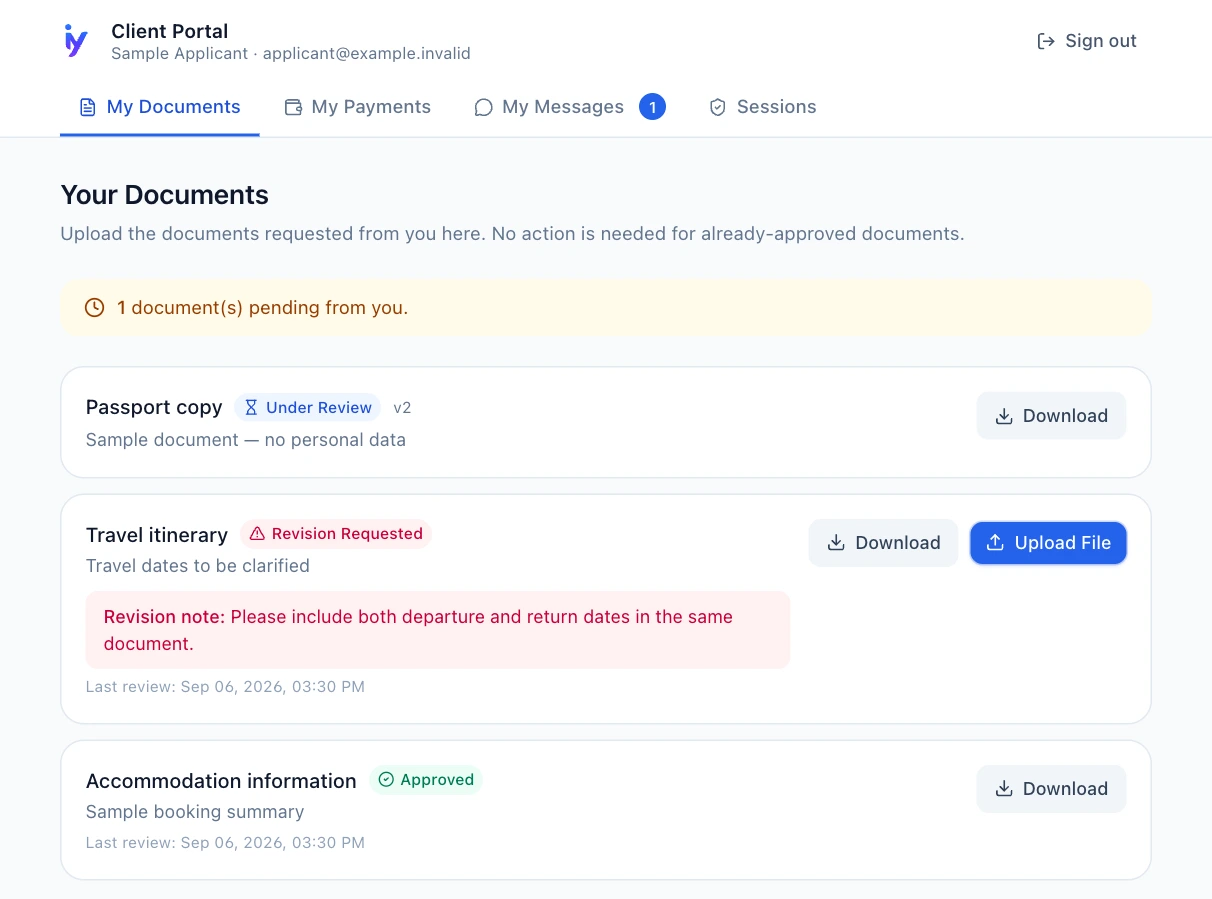
4. Review the client's view
See the document statuses and revision note shown to an applicant in the client portal. Consider how the adviser's document review connects to the client's next step.
Understand the scope and plan limits
- After your request, the scope and timing of the conversation are arranged by email.
- The free 14-day Pro trial starts through a separate registration link. Sending a demo request does not create an account or initiate payment for you.
- If you need a custom integration or data migration, discuss the scope and feasibility during the conversation.
Have a question? Let's talk.
Choose a topic and fill in the form. We'll direct sales, support and demo requests to the appropriate team and reply by email.
Let's plan your iyely demo
Explore the product you're interested in through real workflows.
Workflows we can explore together
- Applications & Documents
- Finance
- AI Assistant · Pro
- Calendar & Tasks
After your request, our team will email you to clarify your needs and arrange a suitable time to meet.
Go to the demo formEmail us about a demoDirect contact
Not a fan of forms? You can always reach us directly.
Frequently asked questions
Should I send real client data for the demo?
No. A general description of the workflow is enough. You can assess a sample scenario without sharing identity documents, passports, visa files or payment information.
Does submitting the form book an appointment?
The form creates a contact request. Needs and meeting arrangements are clarified by email; it does not make an automatic calendar booking.
Is a long explanation required?
A note is optional for the demo topic. Add a few sentences about the workflow if useful. If you choose another topic, such as sales or support, that topic's explanation requirements apply.
Can I try the product before the demo?
You can start the 14-day Visa Pro trial through the registration link. Review the registration and trial conditions in the application. A demo request and a trial account are separate actions.
Evaluate it with your office workflow
Start a trial directly if you prefer, or use the demo form for a workflow you would like to evaluate together.