
Application and team tracking
See where an application stands and what needs to happen next
Searching through spreadsheets, messages and personal notes makes an application difficult to hand over. iyely Visa brings stages, ownership, documents, tasks and communication together around the application record.
Your office's stages and client follow-up actions stay together in the same file. Official decisions are followed through the relevant authority's own channels.
Follow an application through the team
Create it in the right office context
Select the branch, responsible adviser and application details. A new record joins the brand's default starting workflow; its document checklist can be prepared from configured rules.
Keep ownership and stage current
Track the application's current office stage in the workflow. Review ownership, notes and outstanding work together: a stage name alone does not prove that every task is complete.
Connect documents and tasks
See missing documents and revision requests on the relevant application. Define the next step through tasks and appointments instead of recreating the client's file in personal lists.
Complete a short handover check
Give the next adviser the current stage, open tasks, expected document and recent client communication. Confirm that the receiving adviser has suitable branch access.
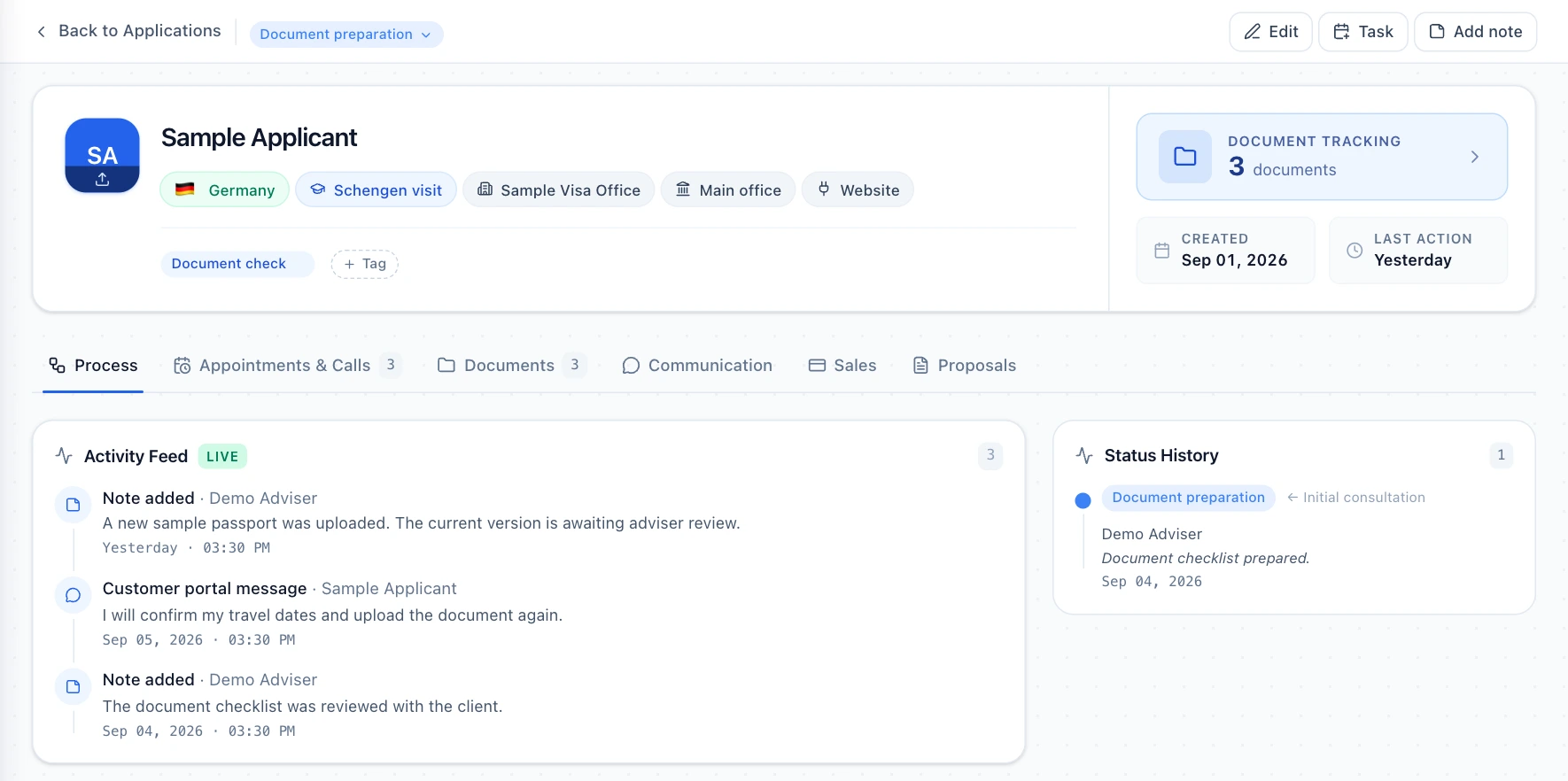
A practical handover exercise
Create a sample application, leave one document awaiting revision and add a follow-up task. Can the receiving adviser explain what is missing, who owns the file and what happens next using the application record? Try this together during evaluation.
- The application belongs to the correct branch and adviser.
- Its stage is consistent with the remaining tasks.
- The document status and client message can be found in context.
Understand the scope and plan limits
- Applications are managed within workspace and branch access boundaries; granted permissions determine the available operations.
- Application quotas depend on the plan. Adding users does not imply unlimited applications.
- Automatic adviser selection by expertise score, consulate status synchronisation and automated visa eligibility decisions are outside the scope described here.
Frequently asked questions
Does the stage represent the official visa status?
It represents your office's CRM workflow. Without a verified connection to a consulate system, do not assume an official decision is being obtained or synchronised automatically.
Can we control who accesses an application?
Access relates to the workspace, branch scope and user permissions. Test administrator and adviser roles against your own office structure; do not assume every user sees every file.
Are documents and tasks separate applications?
Application documents, tasks, notes and portal messages are available within iyely Visa. Follow the same sample record through these screens to evaluate how they work together.
Will my Excel file be imported automatically?
This page does not promise automatic Excel import. Share your existing data structure and migration needs in the discussion; the method and validation steps need to be agreed separately.
Evaluate it with your office workflow
Evaluate one application with two team members: can the second adviser continue without searching for missing context?