
The applicant's workspace
Give clients an access point for their own application
Requesting a document, collecting a file and explaining a correction involve the client as well as the adviser. Clients need a place to understand what is expected. The iyely Visa client portal lets applicants participate within the scope of their own application.
Clients use their own portal sign-in to upload to prepared document entries and message the office. Your advisers keep their individual staff accounts for managing the work.
Set up the portal around the application
Prepare contact details and the checklist
Check the application's email address and the documents the client needs to provide. The portal experience follows this context prepared by the adviser.
Let the client request an email sign-in link
The portal uses passwordless sign-in links. When the same email matches several eligible applications, the client can select the relevant application during verification.
Follow uploads and feedback
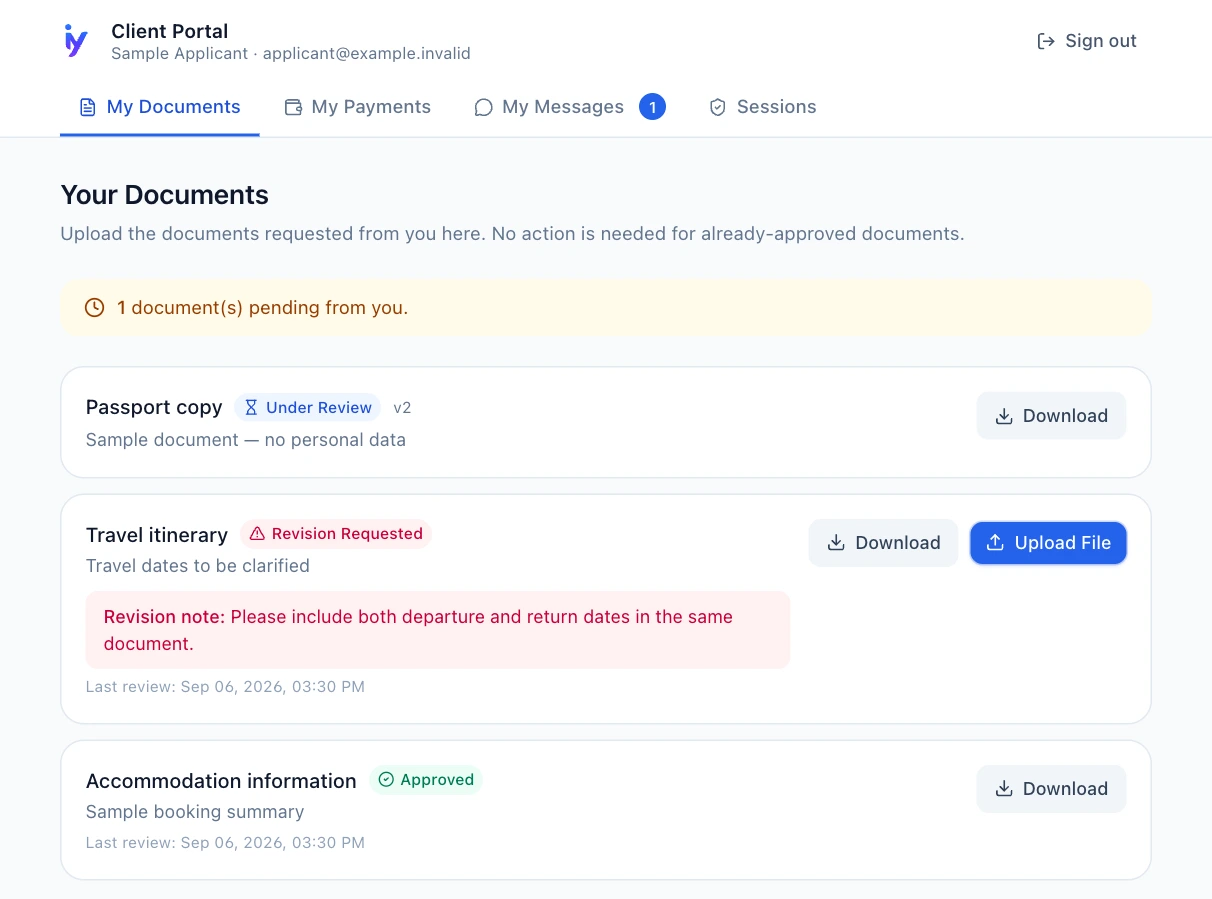
The client uploads to the requested document entry. Following adviser review, a revised file can be added to the same entry to continue the revision process.
Keep communication in context
Portal messages belong to the application. Review the payment information visible to the client, and explain the collection method arranged with your office.
What should you explain to a first-time client?
Show the client which entry to upload to and how to read a revision note. Demonstrate with a sample application rather than a real passport or personal record. Explain your office's communication arrangements separately: a messaging screen does not establish a response-time promise.
- Use the sign-in link only for their own access.
- Upload each file to its relevant document entry.
- Wait for adviser review after sending a new version.
- Distinguish payment information from the collection method.
Understand the scope and plan limits
- Portal access is limited to the applicant's own application context; it does not use the staff panel's permissions.
- Clients upload to document entries defined by the office. Document types and office workflows are managed by staff.
- Evaluate storage and application volume against plan limits. The portal does not imply unlimited storage, official-status integration or automatic payment collection.
Frequently asked questions
Do I need to create a staff account for the client?
The portal operates separately from staff sign-in. An applicant uses an emailed link to access their application context; you do not need to share an adviser's management account.
What if one person has several applications?
When an email matches multiple eligible applications, the verification flow can offer an application choice. Subsequent portal operations apply to the selected application.
Does the portal take payments?
The portal displays payment information for the client's application. Collection follows the method arranged with your office; the portal screen does not charge a card automatically.
Does it automatically show the consulate's decision?
The portal displays the application information managed by your office in the CRM. Official decisions are followed separately through the relevant authority's channels.
Evaluate it with your office workflow
In a demo, compare the information an adviser and an applicant see on the same file.